
'Do You Deliver Here?' Setting Up Delivery for Your Business
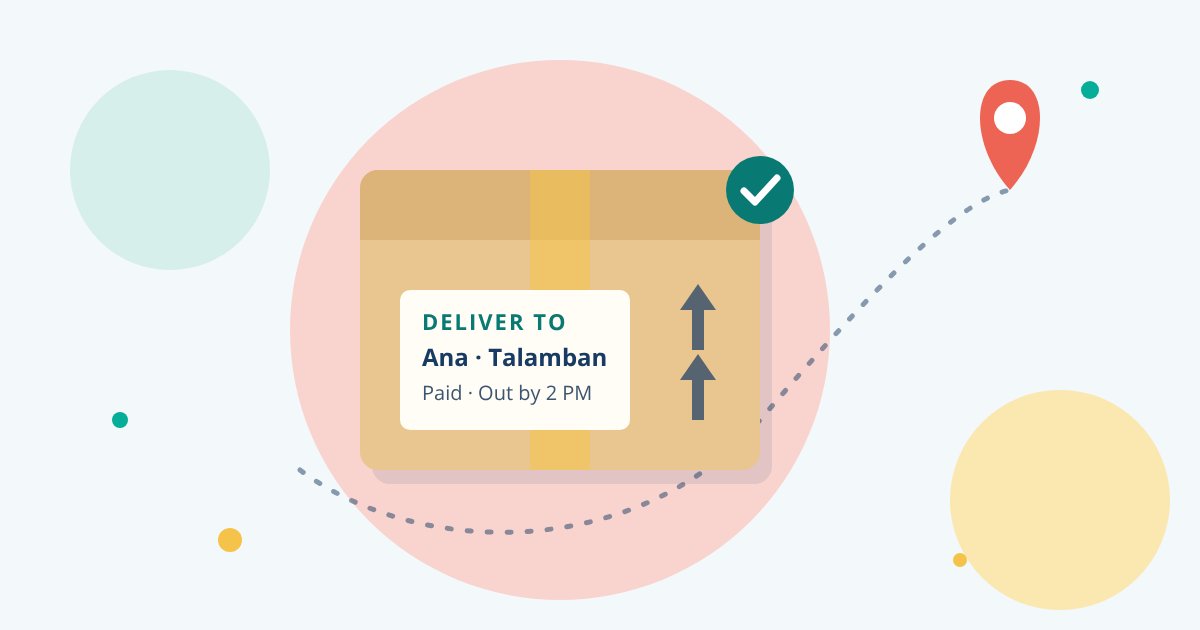
A customer messages your cake shop on a Friday night. "Hi po, do you deliver to Talamban? How much? Can it arrive by 3 PM tomorrow?"
You aren't sure. Last time you booked a rider, the fee was higher than you expected, and you paid the difference yourself. The time before that, the icing slid in the box. So you type "Let me check po" and go back to work, and the customer orders somewhere else.
Delivery can bring you customers who would never visit your shop. But it works best when you decide a few things once, write them down, and use the same answers every time. December is a good time to get this right, because more people order gifts, food and party items to be sent to someone else.
Decide where you deliver
Start with a short list of the places you will deliver to. Use the names customers use: cities, barangays, or well-known areas.
For example, a cake seller in Cebu City might deliver within the city and to Mandaue, and not to the farther towns. A water refilling station might deliver only within a few barangays near the shop. A pet shop might deliver anywhere a delivery app can reach.
Write down the places you don't cover, too. "We don't deliver outside Metro Cebu" is a clear answer. It saves you from long back-and-forth messages with people you can't serve.
Choose how you will send orders
Most small businesses use one or more of these:
- Your own rider or staff. Good for nearby areas and regular customers. You control the timing and the handling.
- A delivery app such as Lalamove or GrabExpress. You book a rider when the order is ready. Good for same-day orders within the city.
- A courier for farther places. Good for items that can travel a day or more, like clothes, dry goods or products in sealed packs.
- Customer-booked delivery. The customer books their own rider to pick up from you. This is common for food sellers, and it keeps the fee and the timing between the customer and the rider.
You don't need all of them. Pick the one or two that fit what you sell. A clinic sending medicines or a repair shop returning a fixed item may only need one.
Set your delivery fees
Unclear fees cause more arguments than late deliveries. Pick one of these ways and stick to it:
- A fixed fee per area. For example, ₱60 within the barangay, ₱120 within the city. Easy to explain and easy to post.
- The actual app fee. Tell the customer the fee shown in the app before you book, and ask them to pay it with the order.
- Free above a minimum. For example, free delivery for orders of ₱1,500 and up within the city. Only do this if your prices leave room for it.
App and courier fees can change with distance, time of day and demand, and they often go up when it rains or during holiday traffic. If you use a fixed fee, check now and then that it still covers what you actually pay.
Also decide if you have a minimum order for delivery. A single ₱80 item may not be worth a ₱100 delivery fee for anyone.
Pack it so it arrives the way it left
The customer judges your business by what they see when they open the box. Good packing protects your work and your name.
- Use a box or container that fits, so the item doesn't slide.
- Seal soups, sauces and drinks, and put them in a separate bag.
- Keep hot and cold items apart.
- Tape a small card on top with the customer's name, the order, and your page name and number.
- For cakes and fragile items, tell the rider in the booking notes, and keep the box flat.
Take a quick photo of the packed order before it leaves. If something goes wrong, you can show how it looked when it left you.
Set clear times and cutoffs
Tell customers when an order will go out, not just that it will. "Orders confirmed by 10 AM go out the same day. Orders after 10 AM go out the next day." is easy to understand.
For made-to-order items, say how much notice you need. In December, add a few extra days, because riders and couriers get busy and roads are slower. If you've set holiday cutoffs, use the same dates for delivery. We wrote more about this in Is Your Business Ready for the Christmas Rush?.
Take payment before the rider leaves
For deliveries, ask for payment first, or at least a deposit. Check it in your own GCash or bank app before you book the rider. A screenshot is not proof that money arrived.
If you offer cash on delivery, keep it to nearby areas and regular customers, and decide who carries the risk if the customer isn't there. For more on this, read Make Paying You the Easiest Part of the Sale.
Decide what happens when something goes wrong
Sooner or later a delivery will be late, damaged or sent to the wrong address. Decide now what you'll do, so you can answer calmly.
Write one or two lines, for example:
- "If your order arrives damaged, send us a photo within an hour and we'll replace it or refund you."
- "If the address or contact number is wrong, the second delivery fee is paid by the customer."
- "If no one is there to receive it, we'll message you and arrange a new time."
Keep the rider's name and booking details until the order is received. Many delivery apps have a way to report a problem with a booking, and you'll need those details.
Put your delivery details where customers look
Once you've decided, make one short list:
- the areas you deliver to
- how you send orders
- the fee for each area, or how the fee is set
- the minimum order, if any
- the cutoff times
- how to pay
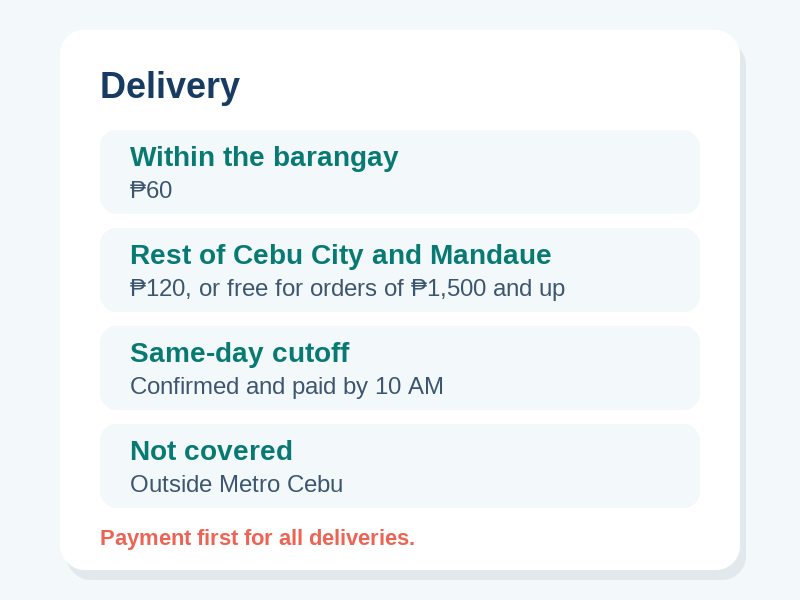
Pin it on your Facebook page, save it as a reply in Messenger, and add it to your page's details. Then "Do you deliver here? How much?" takes seconds to answer. See Answer Messenger Faster With Replies You Write Once for how to set up saved replies.
Let customers check delivery before they message
Many people decide whether to order based on one question: can you deliver to me, and how much? A website can answer it at any hour, with your delivery areas and fees next to your products, prices and how to order.
DotCity builds a website from the Facebook page you already have. You get a free preview within 48 hours, and your first month is free. After that, the Standard plan is ₱1,499 a month, with no setup fee. Hosting and updates are included, and you can pay by GCash.
- Message us on Messenger for a free preview: https://m.me/dotcity.ph
- Or try our free audit to see what to fix first: https://dotcity.ph/audit