
'Why Did the Price Go Up?' 6 Mistakes When Raising Your Prices
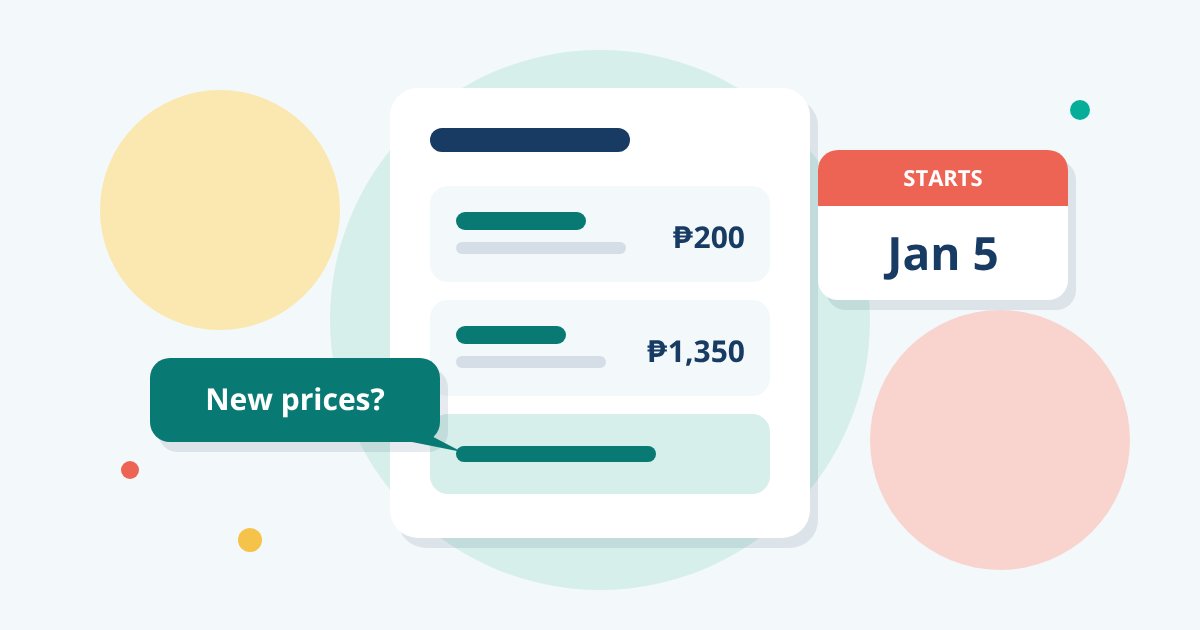
A regular customer sits down for her usual hair color. When she pays, the total is ₱300 more than last time. Nobody told her. She pays, says nothing, and doesn't book again.
The new price wasn't the problem. Your hair color, rent and electricity all cost more than they did a year ago, and most customers understand that. What stung was finding out at the counter.
Many owners plan to change prices in January, when the new year makes it feel natural. If that's you, now is the time to get ready. Here are six mistakes that turn a fair price increase into lost customers, and what to do instead.
1. Raising prices quietly and hoping no one notices
It's tempting to just change the number and say nothing. Some customers won't notice. The ones who do will notice at the worst moment: when they're paying, or when your reply to "HM po?" doesn't match the price list they saved.
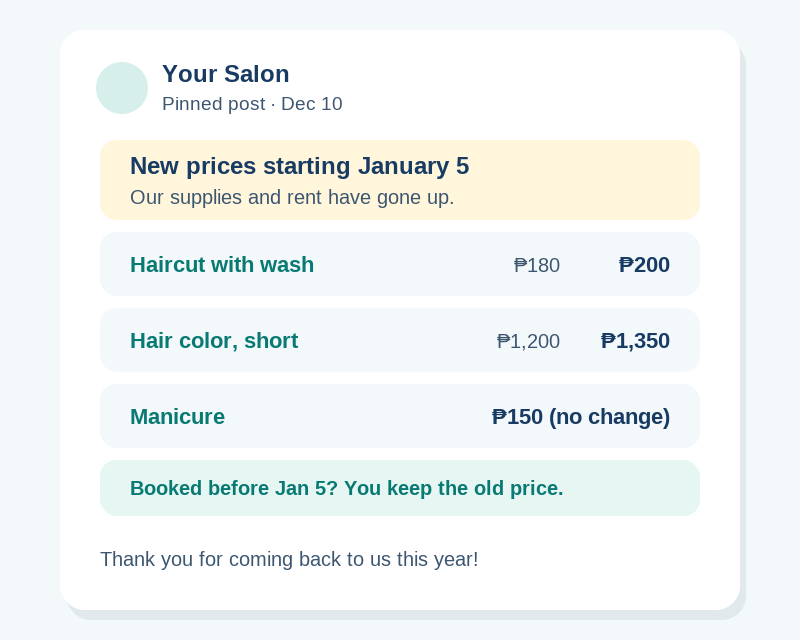
Instead: tell customers before the change, with a clear start date. Two to three weeks' notice is enough for most small businesses. A post in early or mid December for prices that start on January 5 gives people time to book one more visit at the old price, and many will.
Keep the announcement short:
- what is changing
- the new prices, written out
- the date they start
- what stays the same
2. Changing the price of orders you already confirmed
A customer booked her daughter's debut makeup in November at ₱3,500. In January you tell her it's now ₱4,000. To her, that isn't a price increase. It's a broken promise.
Instead: honor every price you already gave in writing. That includes:
- confirmed bookings and orders, even if the date falls after the change
- quotes you sent, for as long as you said they were good
- prepaid packages and session cards
- gift certificates sold for Christmas
If a quote had no end date, add one from now on: "This price is good until January 31." It protects both of you the next time costs go up.
3. Saying too much, or apologizing too much
Some owners write a long post about suppliers, rent, the peso and their own sacrifices. Others apologize three times. Both make the change sound bigger and more painful than it is.
Instead: give one honest reason in one line, then move on. "Our supplies and rent have gone up, so some of our prices will change on January 5" is enough. Customers don't need your full costing. They need to know the new price and that you'll still take good care of them.
A short thank-you helps. Skip the guilt.
4. Raising everything by the same amount
An across-the-board ₱100 increase is easy to announce. But ₱100 on a ₱1,500 rebond is small, while ₱100 on a ₱150 haircut is a big jump that your most frequent customers will feel every month.
Instead: look at each item. Raise the ones where your costs actually went up, or where you've been undercharging for a long time. Leave some prices alone. If you can, keep one basic option at a price your regulars can still manage, like a plain haircut or a small cake size.
Round to prices that are easy to say and remember. ₱450 is easier than ₱437.
One exception to check first: if you sell basic goods like canned food, noodles, bread or bottled water, DTI watches those prices closely and has said it expects basic necessities to hold their prices until the end of the year. Check DTI's current suggested retail prices before you change them.
5. Leaving old prices up all over the place
You post the new prices, but the old price list is still pinned. Last year's promo graphic still shows in your photos. Your Messenger saved reply still says ₱350. Your helper still quotes from memory. Your Google Business Profile still lists the old menu.
Now customers see two prices and pick the lower one, and they're not wrong to.
Instead: before the start date, make a list of everywhere your prices appear and update all of them on the same day:
- your pinned post and price list photo
- your Facebook page "Services" or menu section
- Messenger saved replies and automatic replies
- your Google Business Profile
- printed menus, tarpaulins and price boards at the counter
- anything a helper or staff member uses to answer customers
If old posts still show prices, you don't have to delete them. Your pinned post with the date is the one customers should trust. For help keeping one clean list, see A Price List Customers Can Understand at a Glance.
6. Not being ready for "Why so expensive na?"
Someone will ask. If you're caught off guard, you might give a discount you can't afford, or reply in a way that sounds annoyed.
Instead: write your answer before the start date, and save it as a reply. Something like:
Hi po! Yes, our prices changed on January 5 because our supplies went up. Your haircut is now ₱200, and it still includes the wash and blow-dry. Would you like to book this week?
Keep it calm and friendly, say what the price still includes, and invite them to book. If a long-time customer is truly upset, you can choose to give them the old price one last time. That's a kindness you decide on case by case, not a rule you have to announce.
Some customers will leave. That's normal, and usually it's fewer than owners fear. If a price change means you can keep your quality and stop working at a loss, it's the right call.
Keep one price customers can trust
When prices change, customers want to know which number is current. A simple website gives you one place for your up-to-date prices, next to your hours, location and a way to book, so nobody has to scroll through old posts to find the right one.
DotCity builds a website from the Facebook page you already have. You get a free preview within 48 hours, and your first month is free. After that, the Standard plan is ₱1,499 a month, with no setup fee. Hosting and updates are included, and you can pay by GCash.
- Message us on Messenger for a free preview: https://m.me/dotcity.ph
- Or try our free audit to see what to fix first: https://dotcity.ph/audit