
Your Google Business Profile Has More Blanks Than You Think
You finally got your salon on Google Maps. The pin is there and the name is right. But when you look at your profile, it is mostly empty. No photos. No hours. No list of services. Just a name and a dot on the map.
A customer searching for "rebond near me" sees your pin next to three other salons. The others show photos, opening hours and a list of services. Yours shows nothing. Most people will tap one of the others.
Your Google Business Profile is free, and it is often the first thing a new customer sees. Here is how to fill in each part so it does its job.
Before you start
Sign in to the Google account that manages your profile, then search your business name on Google or open it in the Google Maps app. You'll see options to edit it. Some edits are checked by Google first, so they may take a while to show.
Pick the right category
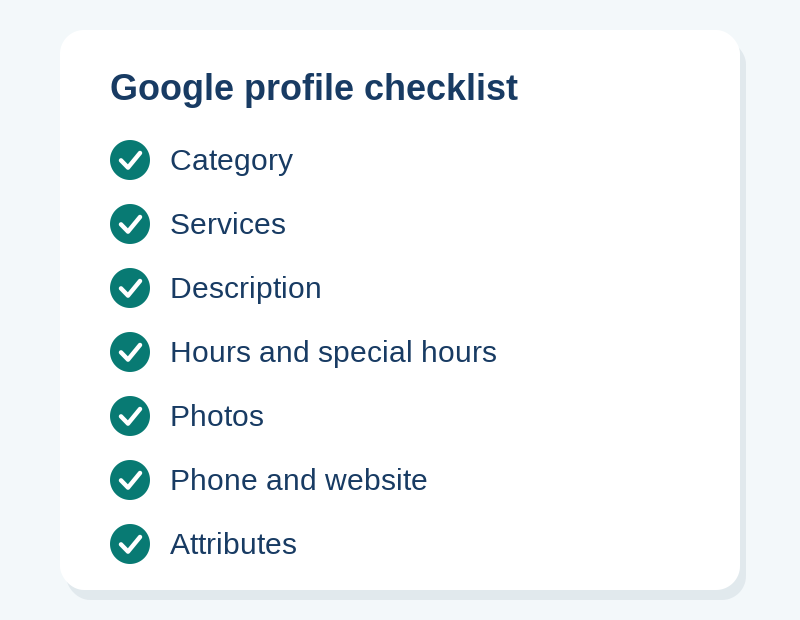
Your category tells Google what kind of business you are, and it affects which searches you show up in.
You choose one primary category, and you can add more. Pick the primary one that best matches your main work. A salon that mostly does hair should choose a hair salon category, not "beauty supply store." Then add others for the rest of what you do, such as nail salon or spa, but only if you really offer them.
Add your services
If your category supports it, you can list your services, and sometimes a price for each one. Use the words customers actually search for:
- an aircon cleaning service might list "Window type aircon cleaning" and "Split type aircon cleaning"
- a dental clinic might list "Teeth cleaning," "Tooth extraction" and "Braces consultation"
- a gym might list "Monthly membership," "Day pass" and "Personal training"
If you're not sure of a price, leave it out. A wrong price is worse than none.
Google also has a products section, but it's only available in some countries and categories. If you don't see it, list your main items as services or mention them in your description.
Write a short, useful description
You get up to 750 characters. You don't need all of them. Answer three questions in plain words: what you do, who it's for, and where you are.
"Family hair salon in Mandaue City offering haircuts, color, rebond and keratin treatments. Walk-ins welcome on weekdays. Near the public market, beside the pharmacy. Message us on Facebook or call to book."
Don't add links or stuff it with keywords. Write it the way you'd explain your business to a new customer.
Set your hours, including special hours
Wrong hours lose customers. Someone drives over, finds the gate closed, and doesn't come back.
Set your regular hours for every day of the week, and mark the days you're closed. Then use special hours for holidays. Undas is coming up in a few weeks, and the Christmas season after that. If you'll close early or open on a day you usually don't, add it ahead of time.
If you have different hours for different things, such as a clinic with separate consultation hours, some categories let you add more hours for those.
Add photos customers want to see
Photos help people decide. Add a clear photo of the front of your shop, so first-timers recognize it from the street. Then add photos of the inside, your work and your price board if you have one.
A cake seller can show real cakes they've made. A barbershop can show finished haircuts. Use your own photos, taken in daylight, and add a few new ones every month or so.
Get your phone, website and booking link right
Put in the number you actually answer. If customers mostly reach you on a mobile number, use that one, and use the same number everywhere else, too.
For the website field, add your website if you have one. If you don't, many owners use their Facebook page link for now. Google also lets you add your social media links separately.
Depending on your category, you may also see a field for a booking or appointment link. If you take bookings through a booking page or a form, put that link here so people can book straight from Google.
Turn on the details that matter
Google calls these attributes. They are short facts like "wheelchair accessible," "accepts debit cards" or "women-owned." What you see depends on your category.
Tick only the ones that are true. Someone bringing a senior in a wheelchair may choose you because of one of these.
Answer common questions in your profile
Google has changed how questions work on business profiles. The old questions and answers section has been removed, and Google Maps now tries to answer some questions itself, using your profile details, photos and reviews.
That means the best way to answer common questions is to put the answers in your profile. If people often ask "Do you accept GCash?" or "Is there parking?", make sure that is in your description, your attributes or your photos. If it's written down there, Google can show it.
Check it once a month
Once a month, open your profile and look at it the way a customer would. Are the hours right? Is the phone number still the one you answer? Did someone suggest an edit you didn't make?
It takes five minutes.
Your profile and your website work together
Your Google profile shows the basics. A website gives Google, and your customers, the full picture: every service, every price and how to book. When your profile links to a website with the same details, people can check you out and decide in one visit. We explained more in Do I Still Need a Website If My Business Is on Facebook?
DotCity builds a website from the Facebook page you already have. You get a free preview within 48 hours, and your first month is free. After that, the Standard plan is ₱1,499 a month, with no setup fee. Hosting and updates are included, and you can pay by GCash.
- Message us on Messenger for a free preview: https://m.me/dotcity.ph
- Or try our free audit to see what to fix first: https://dotcity.ph/audit