
What to Post on Your Business Facebook Page Each Week

Most owners know they should post on their Facebook page. The hard part is deciding what to post, again and again, while also running the business.
When there is no plan, the page goes quiet for weeks. Then a customer checks it, sees the last post from August, and wonders if you are still open.
You don't need a new idea every day. Most small businesses can fill a week with the same five kinds of posts. Here is what they are, and how to plan them.
1. What you sell, and how much
This is the post customers look for most. Show one product, dish or service at a time, with a clear photo and the price.
Keep the text short:
- what it is
- the price
- how to order or book
"Chicken inasal meal with rice and drink, ₱145. Message us to order for pickup." That is enough.
Don't hide the price. Many customers skip a post that says "Message us for the price," and you also get more messages to answer.
2. Proof that customers are happy
New customers want to know that other people had a good experience. Share it when it happens:
- a screenshot of a kind message (ask the customer first, and hide their name if they prefer)
- a photo of a finished job, like a haircut, a repaired phone or a cake for a birthday
- a Google review, with a thank-you to the customer
One of these posts a week is plenty.
3. Behind the scenes
Show the work and the people. A short video of the morning prep, a photo of your staff, or a picture of new stock arriving.
These posts are easy to make because you only need to take out your phone during a normal day. They also help customers feel that they know you before they visit.
4. Useful information
Answer the questions you get most often, one per post. For example:
- your opening hours, and any changes for holidays
- how delivery works and where you deliver
- how to pay
- how to book an appointment
If you answer the same question in Messenger five times a week, it should be a post. Pin the most important one to the top of your page.
5. Something timely
Tie a post to what is happening now: payday, the start of the school year, a fiesta, the rainy season, or Christmas orders. Keep it connected to what you sell, for example "Order your Noche Buena trays by December 20."
Timely posts remind people that your page is active and that you are paying attention.
A simple weekly plan
You don't need to post every day. Three to five posts a week is a good goal for most small businesses. Here is one way to spread the five kinds of posts:
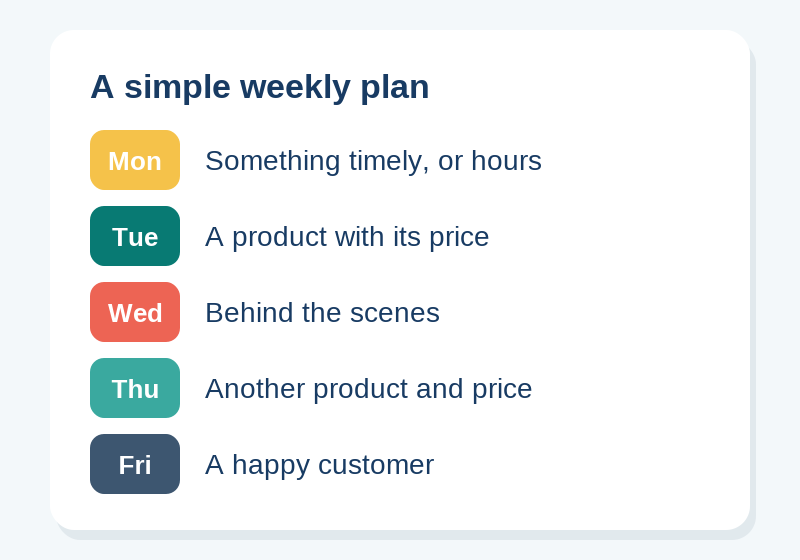
- Monday: something timely, or this week's hours
- Tuesday: a product or service with its price
- Wednesday: behind the scenes
- Thursday: another product or service with its price
- Friday: a happy customer
Change the order to match your business. A restaurant may want its menu post before lunch on Friday. A salon may want a customer photo on Saturday.
Make it easier on yourself
A few habits save a lot of time:
- Take photos all week. When something looks good, take a photo then. You will have a folder to choose from when it is time to post.
- Write several posts at once. Sit down once a week for an hour and write the next week's posts.
- Schedule them. Meta Business Suite lets you schedule Facebook posts for later, for free. You write them on Sunday, and they go out on their own during the week.
- Reuse what works. If a post got many reactions or messages, post the same product again a few weeks later with a new photo.
Where your posts go after a week
Even good posts get pushed down by newer ones. A customer who wants your prices, hours or location should not have to scroll back through months of posts to find them.
A website keeps that information in one place, and DotCity builds one from the Facebook page you already have. You get a free preview within 48 hours, and your first month is free. After that the Standard plan is ₱1,499 a month, with no setup fee, and hosting and updates are included.
If you would rather not plan and write the posts yourself, our social media management is ₱4,999 a month for 12 posts, and it includes a Standard website.
- Message us on Messenger for a free preview: https://m.me/dotcity.ph
- Or try our free audit to see what to fix first: https://dotcity.ph/audit