
Before-and-After Photos, Done Right

A customer walks into your salon with dry, frizzy hair. Three hours later, she leaves with smooth, shiny hair after a rebond. She's happy. You're proud of the work. You post a photo of the result, and it gets a few likes.
Now picture the same post with two photos side by side: her hair before, and her hair after. That's the post people stop scrolling for, share with friends, and message you about.
Before-and-after photos work because they show proof, not promises. They're useful for salons, barbers, nail techs, auto detailing shops, aircon cleaning services, house cleaners, tailors, repair shops and dental clinics. But they only work if they're fair, honest and posted with permission.
Take both photos the same way
The point of a before-and-after is to show what changed. If the "before" is dark and blurry and the "after" is bright and sharp, people notice. It looks like the light did the work, not you.
Keep these the same in both photos:
- The angle. Stand in the same spot and hold the phone at the same height. For a car, shoot the same side from the same distance. For an aircon, shoot the same part of the unit.
- The light. Use the same spot near a window or under the same lamp. Don't switch from yellow light to white light.
- The distance and framing. If the "before" shows the whole headlight, the "after" should too.
- The background. A clean, plain wall or floor works best. Move clutter out of the way.
A simple trick: take the "before" photo, then mark where you stood. A small piece of tape on the floor helps. When the job is done, stand on the tape and shoot again.
Don't use filters or beauty modes on either photo. Many phone cameras smooth skin and brighten colors on their own, so check your settings. If you edit, keep it to cropping or straightening, and do the same to both photos.
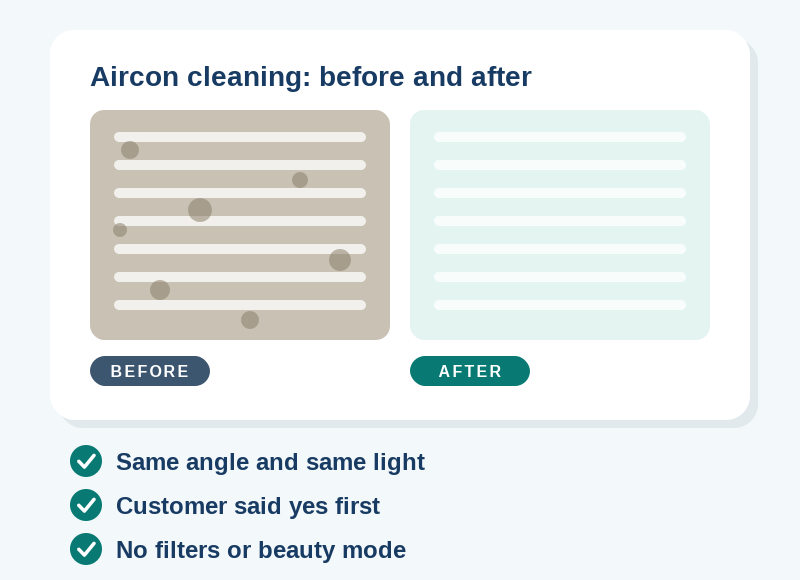
Ask the customer first
The car, the hair, the teeth, the house: these belong to your customer. Always ask before you post.
Ask before you start the job, not after. It's more natural, and you'll know whether to take the "before" photo at all. A simple line works:
"Okay lang po ba if we take a before-and-after photo for our page? We won't show your face if you prefer."
Tell them exactly what you'll show and where you'll post it. If they say no, thank them and don't take it personally. Some people are private, and that's fine.
If they say yes, it helps to have it in writing. A short reply in Messenger, like "Yes, okay lang," is enough for most small businesses. Write their name and the date in your notes.
If a customer later asks you to take a photo down, take it down. Don't argue.
Hide what shouldn't be seen
Even with permission, show only what the photo needs.
- Faces. For hair, nails or brows, you can often crop the face out or shoot from the side or back. If the face is needed and the customer agrees, that's fine. If not, crop it or cover it.
- Plate numbers. For auto detailing, blur or cover the plate. A plate number can be traced back to the owner.
- House details. For aircon cleaning, pest control or house cleaning, watch for house numbers, family photos, mail with names, or anything that shows where the customer lives.
- Personal items. Phones, IDs and papers left on a car seat or counter should be out of the shot.
Look at both photos closely before you post, on a big screen if you can. It's easy to miss a name on a calendar in the background.
Be honest about the results
This is the part that builds trust. Customers who see a real result and then get a real result come back. Customers who see a too-good-to-be-true photo and get something less leave a bad review.
- Only post your own work. Never use photos from the internet or another shop.
- Show typical results, not just the best one. If one car came out amazing because it was nearly new, it's fair to post it, but don't make it the only thing people see.
- Say what was done. "Full interior detailing, 4 hours" or "Rebond and treatment" tells people what to ask for, and sets the right expectation.
- Don't promise the same result for everyone. Hair type, car condition and how dirty an aircon is all change the outcome.
Take extra care with health and dental results
Dental clinics, skin clinics and anything health-related need more care. These photos can show real work, but they can also look like a promise.
- Get clear permission, and be extra careful with faces. A smile photo can be cropped to the teeth only.
- Avoid words like "guaranteed," "permanent" or "painless." Results depend on the patient.
- Add a short line like "Results vary from patient to patient."
- Don't post anything from a patient's records, such as X-rays with names or treatment notes.
If you plan to boost a post or run it as an ad, know that Facebook has stricter rules for ads about health and appearance, and some before-and-after ads may be rejected. Check Meta's advertising standards before you pay for one.
Keep your best results where people can find them
A good before-and-after post can get buried in your feed within a week. A website can keep a small gallery of your best real results next to your services and prices, so new customers can see your work any time.
DotCity builds a website from the Facebook page you already have. You get a free preview within 48 hours, and your first month is free. After that, the Standard plan is ₱1,499 a month, with no setup fee. Hosting and updates are included, and you can pay by GCash.
- Message us on Messenger for a free preview: https://m.me/dotcity.ph
- Or try our free audit to see what to fix first: https://dotcity.ph/audit