
Your Undas Long Weekend Plan, From Hours to Orders
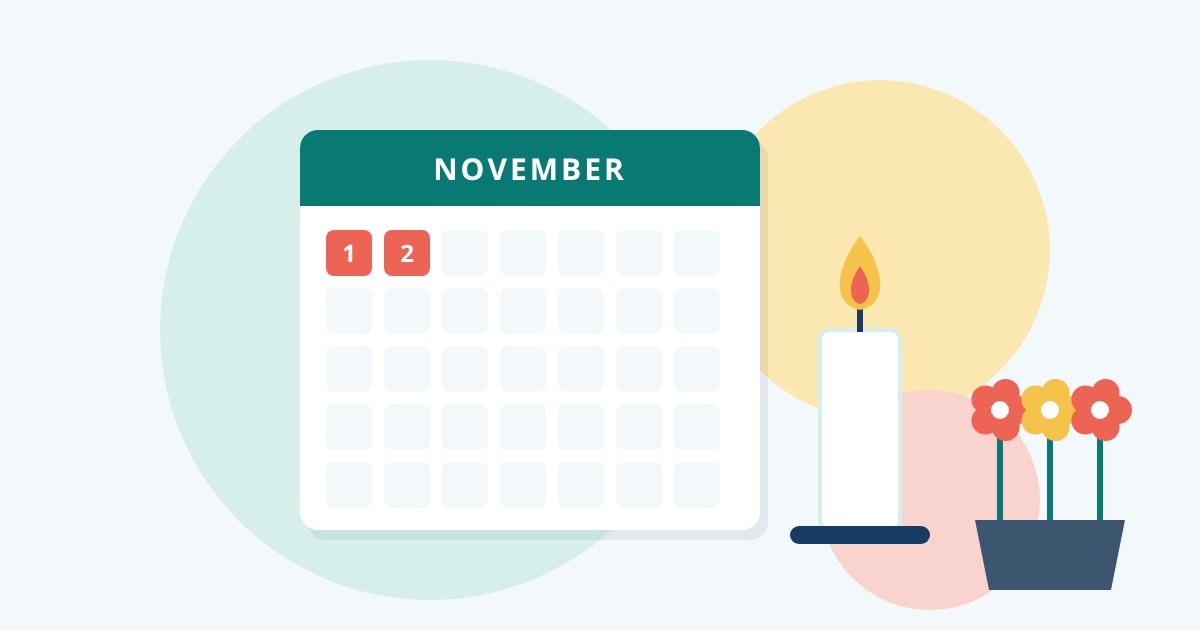
Every year it's the same. On the Friday before Undas, your Messenger fills up. "Open po kayo sa Monday?" "Can I still book on Saturday?" "Are you delivering on the 2nd?"
Half your staff have already asked for leave so they can go home to the province. Your regulars are packing for the trip. And the people who stay in the city want to know if you'll be there.
Undas is a long weekend that changes who is around and when. A little planning this week saves you a lot of confused messages next week.
Know the dates this year
For 2026, the government's list of holidays has:
- Sunday, November 1 (All Saints' Day): special non-working day
- Monday, November 2 (All Souls' Day): additional special non-working day
Saturday, October 31 is not a declared holiday, but many people will treat it like one. For a lot of families, the long weekend starts on Friday night.
Check the news once more before you post your final schedule, in case anything changes.
Decide your hours first
Before you tell anyone anything, decide what you will actually do on each day. Look at Saturday, Sunday and Monday one at a time.
Ask yourself:
- Were we busy on these days last year, or quiet?
- Which of our customers stay in the city, and which go home?
- Do we have enough staff to open properly?
A salon near a subdivision might stay open Saturday, close Sunday, and open half-day on Monday. A gym might keep shorter hours all three days. A dental clinic might close Sunday and Monday and move those patients to later in the week. An aircon cleaning service might close the whole weekend, because most homes will be empty.
There is no right answer. Just decide early, and write it down.
Plan your staff early
Many workers want to visit their family's graves in the province. If you wait until the last few days, you may find three people asking for the same days off.
Ask your staff now who plans to travel, and when. If you need someone to work on November 1 or 2, ask early, and be fair about who got the time off last year.
Special non-working days have their own pay rules for people who work. The Department of Labor and Employment (DOLE) usually releases a pay advisory before each holiday. Read it, or ask your accountant, before you finalize who works.
Think about who is still around
Undas moves people. Some of your regulars will be away. Others will come back to town for the weekend and want to see you.
- Businesses that get busier: flower sellers, candle sellers, food sellers who take bilao and party tray orders, and anyone near a cemetery or a bus terminal. If that's you, set a cutoff for orders and post it early. "Last day to order trays for November 1 is October 29."
- Businesses that get quieter: many salons, gyms, clinics and home services in the city. If that's you, the long weekend is a good time to rest, do repairs, or clean and restock.
- Businesses that get a rush before and after: salons and barbershops often get people who want a haircut before going home, and gyms see people come back after a long weekend of eating. Plan for those days too, not just the holiday.
Post one clear schedule
Once your hours are set, post them in one short, clear post. Put the days and hours in a list so people can read it in a few seconds.
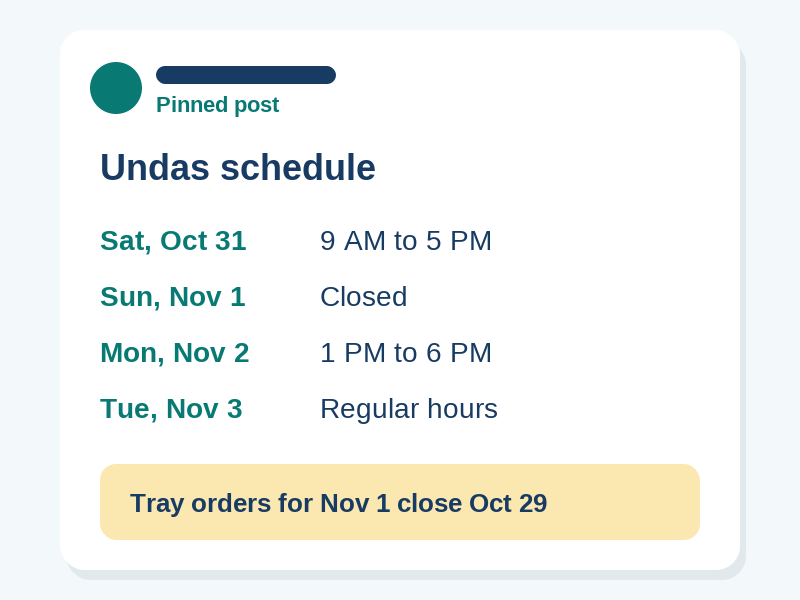
A simple example:
"Undas schedule: Saturday, Oct 31, open 9 AM to 5 PM. Sunday, Nov 1, closed. Monday, Nov 2, open 1 PM to 6 PM. Back to regular hours on Tuesday, Nov 3. Message us to book."
Pin the post to the top of your page so it's the first thing people see. Post it about a week before the long weekend, and share a short reminder on Friday.
If you take orders, add your cutoff date in the same post. If you deliver, say which days you deliver and which you don't.
Update your hours on Google too
Many people don't check your Facebook page. They search your name on Google or open Google Maps and look at the hours shown there.
If you have a Google Business Profile, you can set special hours for specific dates, such as holidays. Set them for October 31 to November 2, and your regular hours stay the same for every other day. That way, Google doesn't tell someone you're open on a day you're closed.
Do this at the same time you post on Facebook, so both places say the same thing.
Set a Messenger away message
If you're closed, people will still message you. Set an away message so they get an answer right away:
"Hi! We're closed for Undas on Sunday, Nov 1. We'll reply to your message on Monday afternoon. You can see our full schedule in our pinned post."
You can turn on an away message in your page's inbox settings, and turn it off when you're back.
Get ready for the return
The Tuesday after a long weekend can be busy. People come back, remember they need a haircut or a checkup, and all message at once.
On Monday night, reply to the messages that came in while you were closed, and confirm new times with any customers you moved.
One place for your hours
A holiday post gets pushed down your feed in a day or two. A website keeps your hours, your location and how to book in one place, where customers can find them any time, along with a note about holiday hours when you need one.
DotCity builds a website from the Facebook page you already have. You get a free preview within 48 hours, and your first month is free. After that, the Standard plan is ₱1,499 a month, with no setup fee. Hosting and updates are included, and you can pay by GCash.
- Message us on Messenger for a free preview: https://m.me/dotcity.ph
- Or try our free audit to see what to fix first: https://dotcity.ph/audit