
'Where Are You Po?' Directions Customers Can Actually Follow
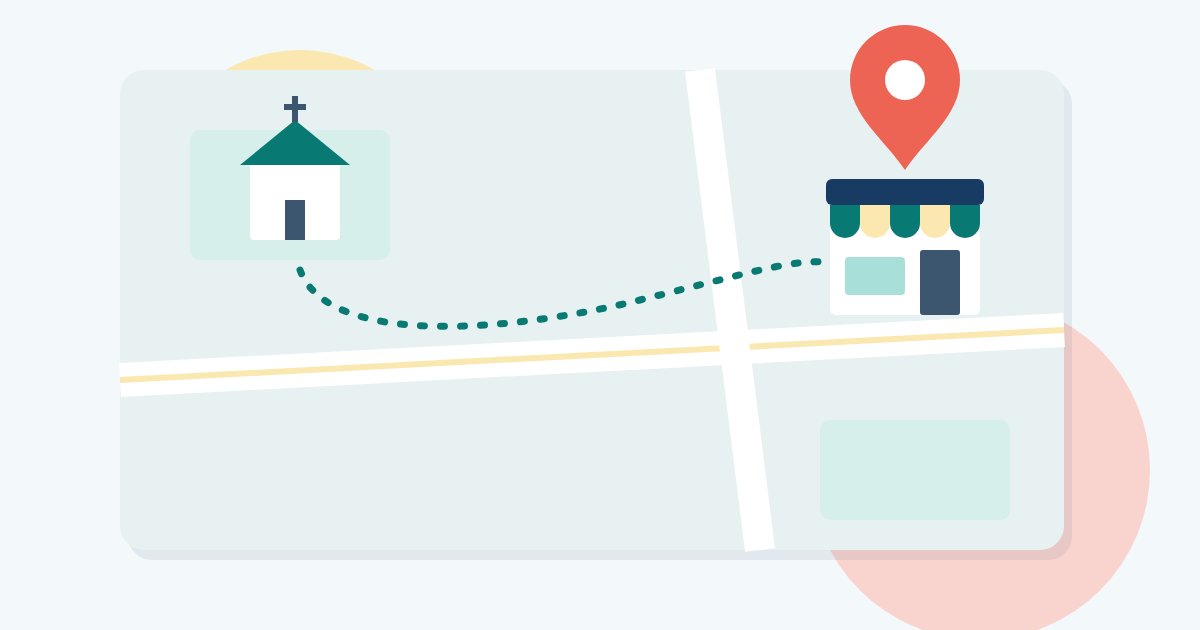
A new customer booked a facial at your clinic for 3 PM. At 3:05 they message you: "Hi po, where exactly are you?" At 3:10 they call. They're standing in front of the building next door, or on the wrong side of the highway, or inside the right building but on the wrong floor.
They arrive at 3:20, stressed, and your next client is already waiting.
"Near the church" is clear to you, because you go there every day. To someone who has never been there, it can mean three different places. Good directions are written for a stranger. Here's how to write them once, and use them every time.
Start with a landmark people can see
Many people don't notice street names, especially from a moving jeepney or motorcycle. They navigate by what they can see.
Pick one or two landmarks near you that are:
- big and easy to spot, like a church, a school, a mall entrance, a gas station or a big intersection
- unlikely to change, so not a food cart or a "for rent" sign
- near enough that the customer can see your shop from there, or reach it in a short walk
Then say where you are compared to it. "Across the road from the elementary school" is better than "near the school." "Two doors to the left of the gas station, if you're facing it" is better than "beside the gas station."
Give the floor, unit and entrance
If you're inside a building, a commercial strip or a mall, the address alone won't get people to your door.
Tell them:
- the floor ("2nd floor")
- the unit or stall number ("Unit 204")
- which entrance or stairs to use ("Use the side stairs beside the bakery. The main door is for the bank upstairs.")
- what they'll see when they get there ("Look for the teal door with our name on it.")
A barbershop above a hardware store can be almost invisible from the street. One line about the stairs helps.
Mention parking and drop-off
Many customers come by car or motorcycle, and they'll want to know where to stop before they arrive.
Say what's true:
- "Free parking in front for 3 cars."
- "No parking on our street. Use the pay parking behind the market, 2 minutes' walk."
- "Motorcycles can park beside the shop."
- "Grab and taxi drop-off: tell the driver to stop in front of the blue gate."
If parking is hard, say so.
Add commute hints for jeepney and tricycle riders
Not everyone drives. For many customers, the question is "Which jeep do I take, and where do I get off?"
You don't need to list every route. One or two common ones are enough:
- "From downtown, take any jeep that passes the main highway going north. Get off at the gas station."
- "From the terminal, a tricycle can bring you here. Tell the driver our street and the school landmark."
If you're not sure which routes pass by, ask staff or regulars who commute.
Make sure your map pin is in the right place
Many customers will just tap a link and follow Google Maps. That only works if your pin is on your actual door, not on the middle of the street, the wrong building, or the barangay hall.
Open Google Maps on your phone and look at where your business shows up. Zoom in. Is the pin on your shop? If you have a Google Business Profile, you can edit the address and move the pin to the right spot.
Then get the link: find your business in Google Maps and tap Share. Copy that link and keep it with your written directions. A pin alone isn't enough, but a correct pin plus a few written lines will get almost anyone to your door.
Show a photo of your storefront
A clear photo of your storefront, taken from across the street during the day, helps people know when they've arrived.
Take it from where a customer would stand. Include your sign, your door, and something next to it, like the store beside you or the gate. If your entrance is hard to find, take a second photo of the door or the stairs.
Post it on your Facebook page, add it to your Google Business Profile, and keep it on your phone so you can send it in one tap.
Save it as one reply
Now put it all together into one message. Save it as a saved reply in your page inbox, so anyone asking "Where are you po?" gets the full answer in seconds.
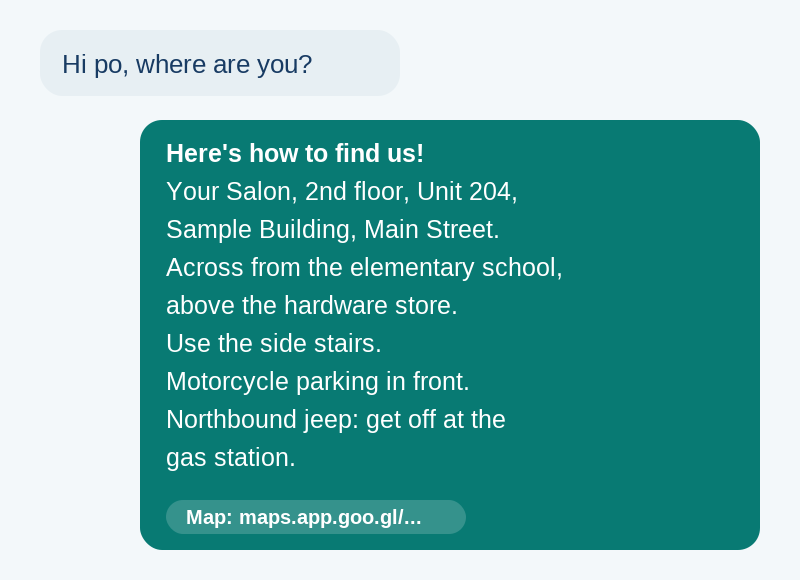
For example:
"Here's how to find us! Your Salon, 2nd floor, Unit 204, Sample Building, Main Street. We're across the road from the elementary school, above the hardware store. Use the side stairs. Free motorcycle parking in front. From downtown, take any northbound jeep and get off at the gas station. Map: [your Google Maps link]"
Send the photo of your storefront right after it. Then pin a short version of the same directions on your Facebook page, and put it in your page's About section.
Test it with a stranger
The best way to check your directions is to give them to someone who has never been to your shop. A friend, a cousin, a new staff member. Ask them to follow only what you wrote, and tell you where they got confused.
Fix those parts. Check again whenever something nearby changes, like a landmark closing.
Directions customers can find on their own
Directions in a Messenger reply only reach people who ask. A website can show your address, your map, your storefront photo and the written directions on one page, so a customer can check them on the way without waiting for your reply.
DotCity builds a website from the Facebook page you already have. You get a free preview within 48 hours, and your first month is free. After that, the Standard plan is ₱1,499 a month, with no setup fee. Hosting and updates are included, and you can pay by GCash.
- Message us on Messenger for a free preview: https://m.me/dotcity.ph
- Or try our free audit to see what to fix first: https://dotcity.ph/audit